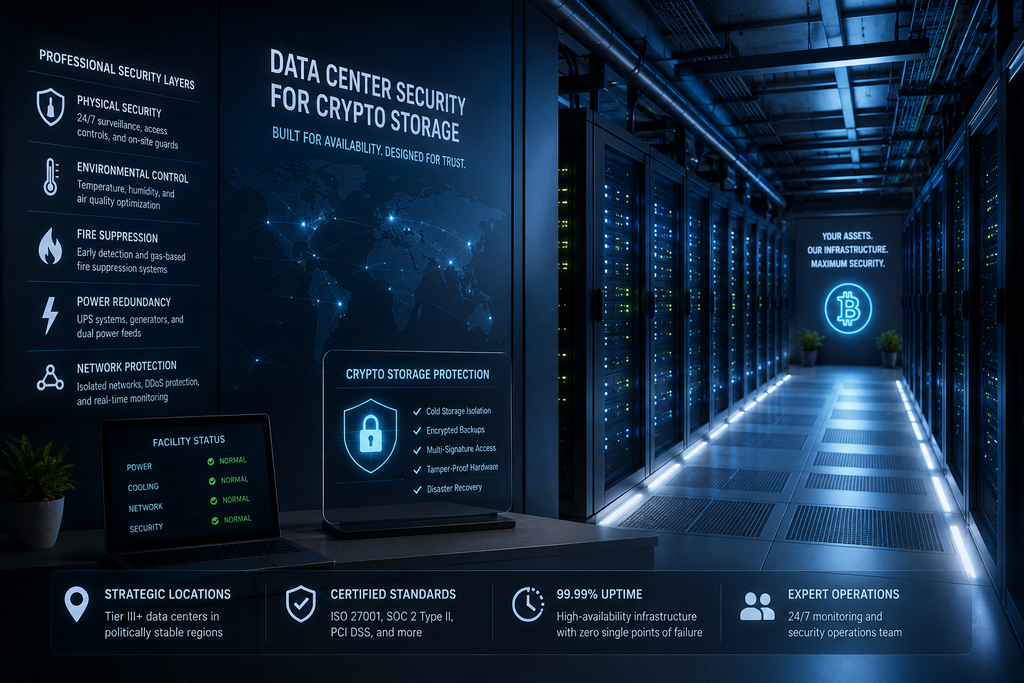
Introduction
The security of cryptocurrency infrastructure depends not only on software and encryption.
Behind every digital storage system exists a physical foundation:
- servers;
- network equipment;
- power systems;
- cooling infrastructure;
- access-controlled facilities.
A crypto storage platform may use advanced encryption, authentication and monitoring, but the physical environment where servers operate remains a critical security layer.
Professional data centers are designed to protect infrastructure from:
- unauthorized physical access;
- hardware failures;
- environmental risks;
- power interruptions;
- network disruptions;
- operational mistakes.
For organizations managing sensitive digital asset information, understanding data center security is an important part of evaluating storage infrastructure.
Modern crypto storage requires both digital protection and physical resilience.
What Is a Secure Data Center?
A secure data center is a specialized facility designed to operate and protect computing infrastructure.
Unlike ordinary office server rooms, professional data centers are built around strict operational requirements.
They usually include:
- controlled physical access;
- redundant power systems;
- advanced cooling;
- network protection;
- environmental monitoring;
- security procedures;
- technical maintenance processes.
A data center is not simply a building with servers.
It is a complete infrastructure environment designed for continuous operation.
Why Physical Security Matters for Crypto Storage
Cryptocurrency-related information requires strong protection because unauthorized access to infrastructure can create serious risks.
Sensitive information may include:
- encrypted wallet backups;
- recovery archives;
- API documentation;
- account records;
- transaction history;
- business security procedures.
Even when files are encrypted, unauthorized physical access to systems can create operational risks.
Physical security helps protect:
- server hardware;
- storage devices;
- network equipment;
- backup systems;
- administrative infrastructure.
The Layers of Data Center Security
Professional facilities use multiple security layers.
A typical model includes:
Facility Protection
↓
Physical Access Control
↓
Server Room Security
↓
Network Protection
↓
Infrastructure Monitoring
↓
Operational Procedures
Security is not based on one technology.
It is created through multiple independent controls.
Physical Access Control Systems
One of the first security layers is controlling who can enter the facility.
Common methods include:
- security checkpoints;
- access cards;
- biometric verification;
- visitor authorization;
- security personnel;
- access logs.
The objective is ensuring that only approved individuals can reach sensitive infrastructure areas.
Access records also create accountability.
If a physical event occurs, organizations can review:
- who entered;
- when they entered;
- which area they accessed.
Biometric Security in Data Centers
Some facilities use biometric authentication for restricted areas.
Examples include:
- fingerprint verification;
- facial recognition;
- iris scanning.
Biometric systems can provide additional identity verification compared with traditional access cards.
However, professional security models usually combine multiple methods.
For example:
Access Card
Biometric Verification
Security Approval
This creates stronger protection than relying on one method alone.
Restricted Server Areas
Not all areas inside a data center have the same access requirements.
Professional facilities usually divide locations into security zones.
Example:
| Zone | Access Level |
|---|---|
| Reception Area | General access |
| Operations Area | Staff access |
| Network Room | Restricted access |
| Server Area | Highly restricted |
| Critical Infrastructure Area | Special authorization |
This separation reduces unnecessary exposure.
Server Rack Security
Inside a data center, servers are usually organized into racks.
Additional protection may include:
- locked server cabinets;
- rack-level access control;
- asset tracking;
- hardware identification.
Organizations managing sensitive infrastructure may use dedicated racks or isolated environments.
This provides greater control over:
- hardware access;
- maintenance procedures;
- equipment ownership.
Redundant Power Infrastructure
Power reliability is essential for continuous storage operations.
Professional data centers commonly use multiple power protection layers.
These may include:
- uninterrupted power supplies;
- backup generators;
- redundant electrical systems;
- power monitoring.
The goal is preventing sudden shutdowns that could affect:
- storage availability;
- data synchronization;
- backup operations;
- network connectivity.
Cooling and Environmental Protection
Servers generate significant heat.
Temperature and humidity control are necessary for reliable operation.
Data centers monitor:
- temperature;
- humidity;
- airflow;
- equipment conditions.
Environmental failures can cause:
- hardware damage;
- performance problems;
- unexpected downtime.
Professional facilities use automated monitoring systems to detect abnormal conditions.
Fire Protection Systems
Fire protection is another important physical security layer.
Modern data centers may use:
- early smoke detection;
- specialized suppression systems;
- compartmentalized server areas;
- emergency procedures.
Traditional water-based systems are generally unsuitable around sensitive electronic equipment.
Facilities use systems designed specifically for technology environments.
Network Security Inside Data Centers
Physical security protects hardware.
Network security protects communication.
A secure data center may include:
- network segmentation;
- traffic monitoring;
- firewall systems;
- intrusion detection;
- controlled connectivity.
For crypto storage environments, network design is especially important because systems may interact with:
- APIs;
- backup services;
- monitoring platforms;
- internal applications.
Geographic Location of Data Centers
Location affects infrastructure resilience.
Organizations consider factors such as:
- regional stability;
- network availability;
- environmental risks;
- infrastructure quality;
- proximity to users.
A professional storage architecture may use multiple geographic locations.
Example:
Primary Data Center
↓
Encrypted Backup Location
↓
Recovery Infrastructure
Geographic separation reduces dependence on one physical area.
Tier Classification of Data Centers
Data centers are often categorized by reliability levels.
A higher tier generally represents stronger redundancy and availability characteristics.
Common factors include:
- power redundancy;
- cooling systems;
- maintenance flexibility;
- fault tolerance.
However, a tier classification alone does not define complete security.
Organizations should also evaluate:
- access controls;
- encryption practices;
- monitoring;
- operational procedures.
Dedicated Infrastructure vs Shared Infrastructure
Storage providers may use different infrastructure models.
Shared Infrastructure
Multiple customers use resources managed by the same provider.
Advantages:
- lower cost;
- easier scalability;
- faster deployment.
Considerations:
- logical isolation;
- access controls;
- provider security practices.
Dedicated Infrastructure
Resources are assigned specifically for one organization.
Advantages:
- greater control;
- stronger customization;
- dedicated capacity.
Considerations:
- higher cost;
- more management requirements.
The correct choice depends on operational needs.
Hardware Security and Asset Management
Professional facilities track physical equipment throughout its lifecycle.
Asset management includes:
- hardware registration;
- ownership records;
- maintenance history;
- replacement procedures.
This prevents unknown equipment from entering critical environments.
Secure Hardware Disposal
Old hardware may contain sensitive information.
A professional disposal process may include:
- secure wiping;
- physical destruction;
- verification records;
- disposal certification.
Deleting files is not always enough.
Storage devices may require specialized handling before leaving controlled environments.
Data Center Monitoring Systems
Continuous monitoring helps identify problems before they become incidents.
Systems may monitor:
- temperature;
- power usage;
- network activity;
- hardware health;
- physical access events.
Security teams can analyze these signals to identify unusual conditions.
AI-Assisted Data Center Monitoring
Artificial intelligence is increasingly used in infrastructure monitoring.
Potential applications include:
Predictive Hardware Analysis
AI can analyze:
- performance changes;
- error patterns;
- equipment behavior.
This may help identify possible hardware problems before failure.
Energy Optimization
AI can help optimize:
- cooling efficiency;
- power consumption;
- resource distribution.
Security Event Analysis
AI can correlate:
- access events;
- network activity;
- infrastructure alerts.
AI supports human operators by processing large volumes of information.
It does not replace security procedures.
Backup Infrastructure Security
Backup systems require the same protection level as primary storage.
A common mistake is securing production systems while ignoring backups.
Backup infrastructure should include:
- encryption;
- access restrictions;
- monitoring;
- geographic separation;
- recovery testing.
A backup is part of the security architecture, not an afterthought.
Data Center Security for Crypto Businesses
Companies working with digital assets often require additional controls.
Examples:
- restricted employee access;
- documented procedures;
- audit records;
- recovery processes;
- permission reviews.
Security should include both:
Technology
and
Operational governance
Common Data Center Security Mistakes
Relying Only on Digital Security
Encryption cannot replace physical protection.
Ignoring Backup Location Security
Backups require equal protection.
Excessive Physical Access
More authorized users create more operational risk.
Lack of Monitoring
Unrecorded access events reduce accountability.
Poor Hardware Disposal
Old devices can expose sensitive information.
How to Evaluate a Crypto Storage Data Center
Organizations should ask:
Physical Security Questions
- How is facility access controlled?
- Are access events recorded?
- Are server areas restricted?
- Are visitors supervised?
Infrastructure Questions
- Is power redundant?
- Is cooling monitored?
- Are backups geographically separated?
- Is hardware tracked?
Security Questions
- Is activity monitored?
- Are permissions reviewed?
- Are incidents documented?
- Are recovery procedures tested?
Data Center Security Checklist
A professional crypto storage environment should include:
✅ Controlled facility access
✅ Restricted server areas
✅ Redundant power systems
✅ Environmental monitoring
✅ Network protection
✅ Hardware tracking
✅ Secure disposal procedures
✅ Backup protection
✅ Physical access logging
✅ Continuous monitoring
The Future of Data Center Security
Data centers will continue evolving alongside digital asset infrastructure.
Future developments may include:
- AI-driven facility management;
- automated security analysis;
- advanced biometric systems;
- more energy-efficient infrastructure;
- stronger hardware protection;
- distributed regional facilities.
As crypto storage becomes more institutional, physical infrastructure security will become increasingly important.
Conclusion
Data center security is a fundamental component of professional crypto storage infrastructure.
Digital protection methods such as encryption and authentication depend on a secure physical foundation.
A reliable storage environment combines:
- protected facilities;
- controlled physical access;
- redundant infrastructure;
- monitoring systems;
- secure backup processes;
- operational discipline.
The strongest crypto storage platforms are not built only with software.
They are built on secure physical infrastructure capable of protecting critical digital information throughout its entire lifecycle.
Frequently Asked Questions
Why is data center security important for crypto storage?
Because physical access to infrastructure can create risks even when digital security systems are strong.
Are all data centers equally secure?
No. Facilities differ in physical protection, redundancy, monitoring and operational procedures.
Does encryption replace physical security?
No. Encryption protects information, while physical security protects the infrastructure that stores and processes it.
What is a secure data center?
A secure data center is a professionally managed facility with controlled access, reliable infrastructure and continuous monitoring.
Should crypto backups be stored in separate locations?
For important information, geographic separation can improve resilience and recovery capability.
How does AI help data center security?
AI can assist with predictive maintenance, infrastructure analysis and security event prioritization.